
Outlook Express Password Recovery Screenshots
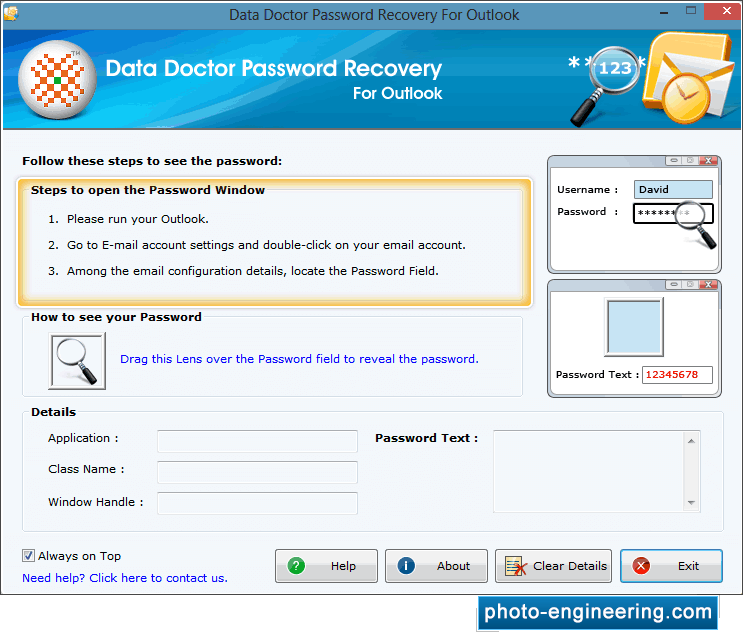
Install “Password Recovery Software For Outlook” on your computer. Above screen will be appeared after running the software.
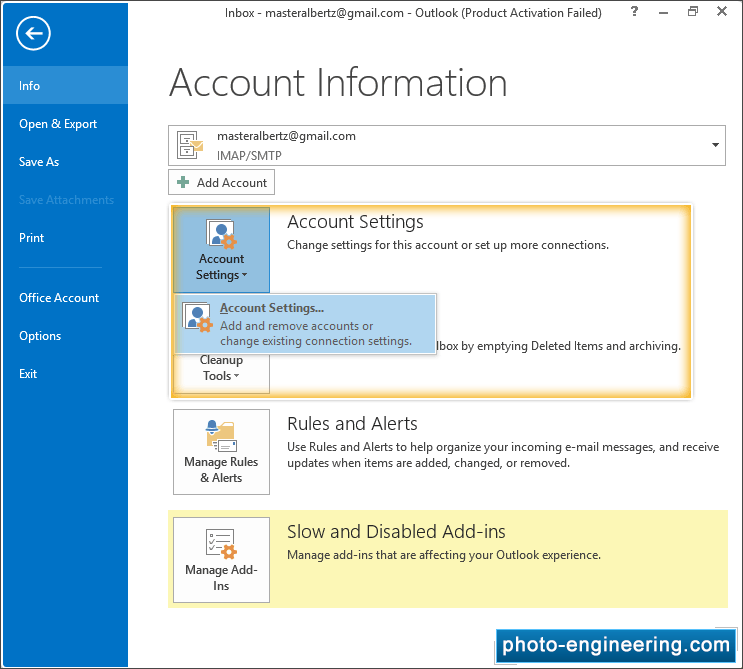
Open your Microsoft Outlook and Go to E-mail 'Account Settings' option
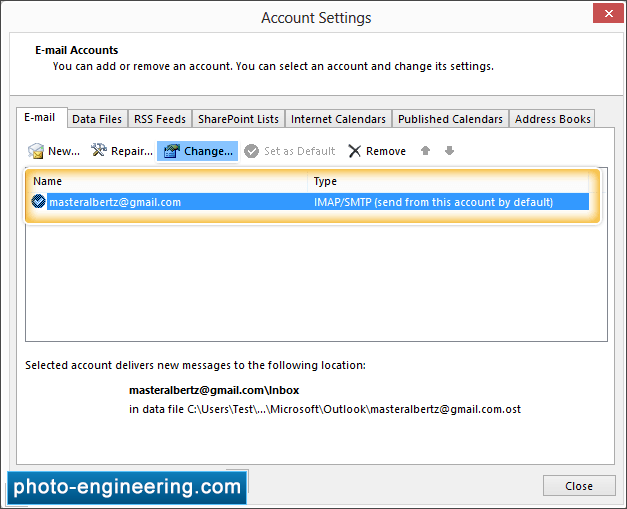
You can add or remove E-mail account settings, and change its settings.
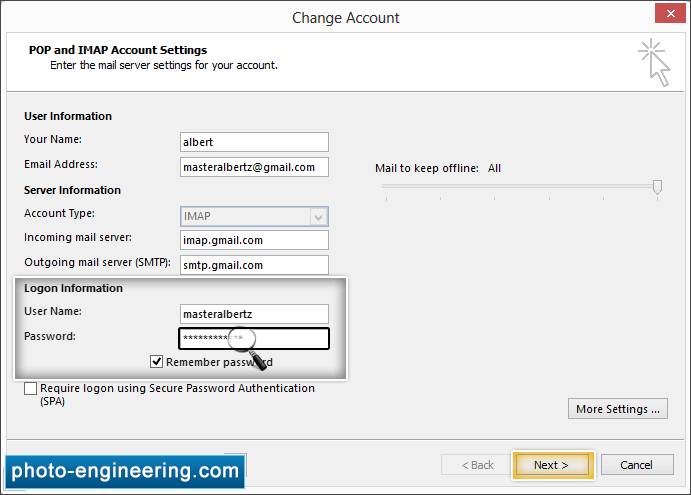
You can recover your password by dragging lens over the password box to view password.
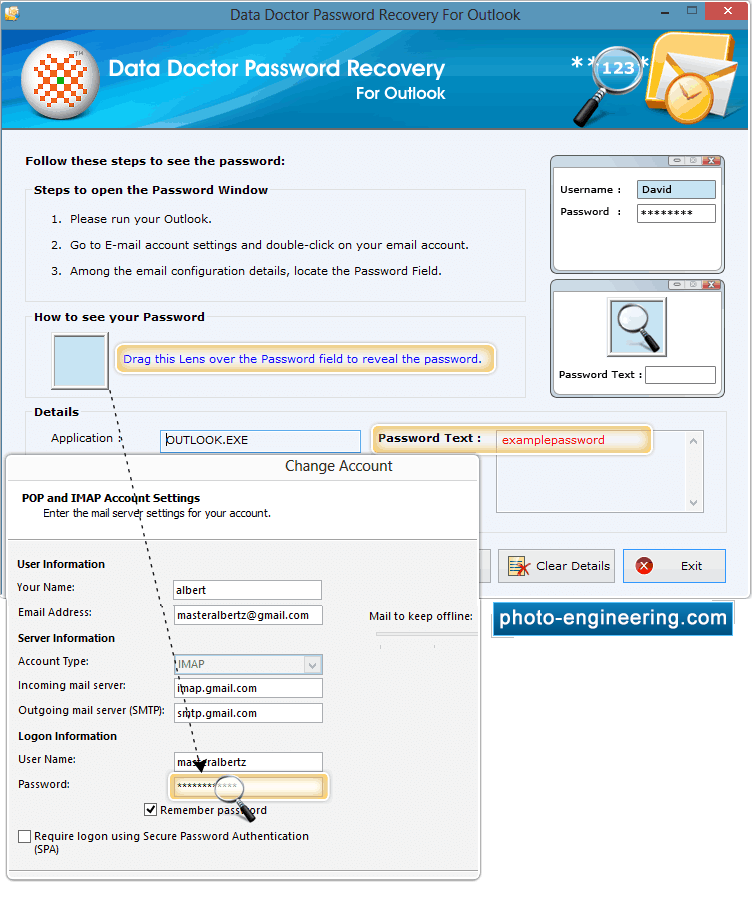
Drag lens over “Password” field to view lost password. Recovered password is shown in “Password Text” field at right side of screen.


